-
MVC vs Razor Pages
-
When building web applications using ASP.NET Core, developers typically choose between two primary approaches for creating server-side web applications: ASP.NET Core MVC and Razor Pages.
Both frameworks are part of ASP.NET Core and both support server-side rendering, meaning the HTML content is generated on the server before being sent to the browser. However, they follow different design philosophies and project structures.
Understanding the differences between MVC and Razor Pages helps developers choose the right architecture depending on the complexity and structure of the application they are building.
What Is ASP.NET Core MVC?
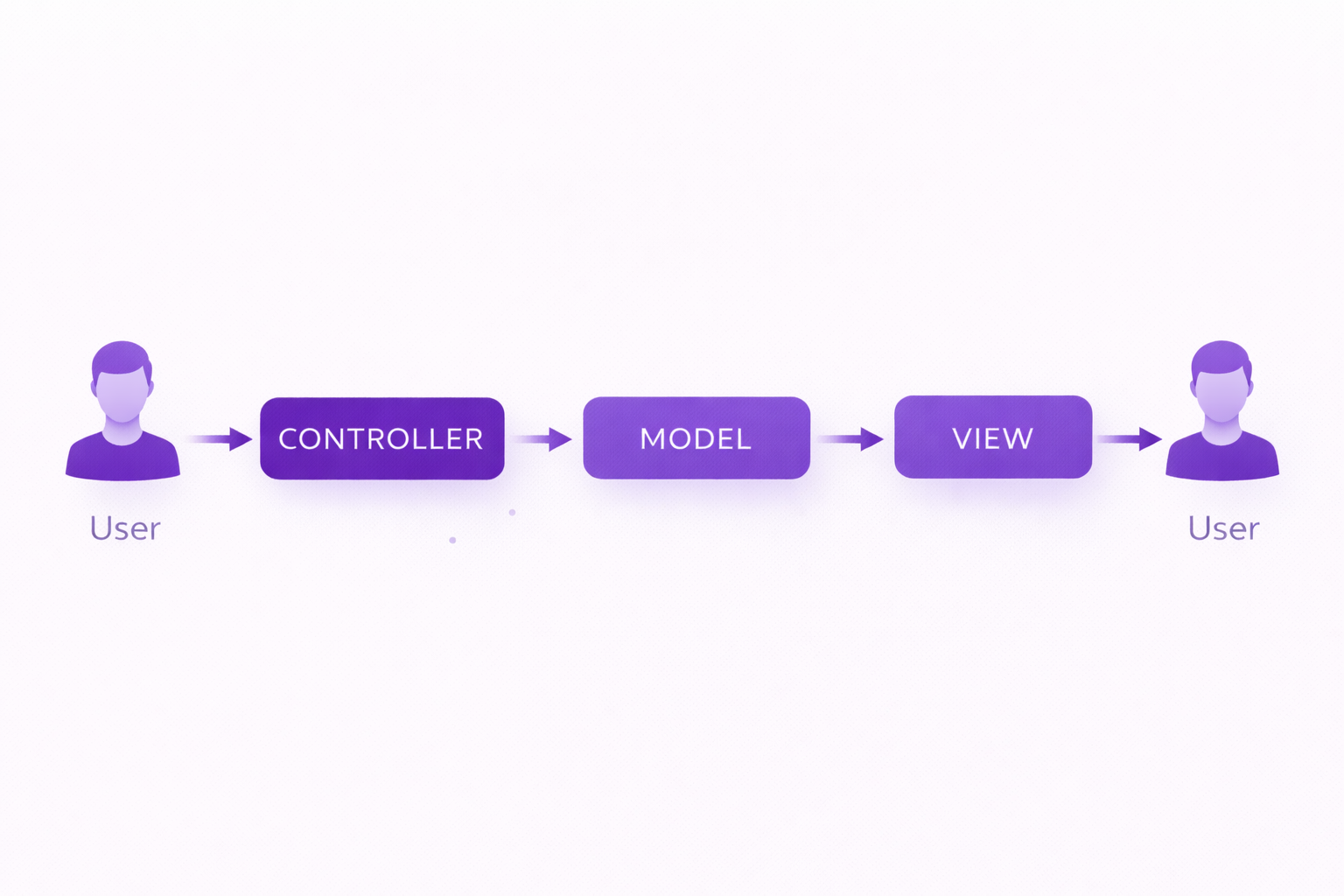
ASP.NET Core MVC is a framework that follows the Model-View-Controller architecture. In this pattern, an application is divided into three main components:
- Model – Manages application data and business rules
- View – Responsible for displaying the user interface
- Controller – Handles incoming requests and coordinates application flow
Controllers act as the central point where requests are processed and responses are generated. The controller interacts with models to retrieve or process data and then sends that data to a view for rendering.
This separation of responsibilities makes MVC particularly suitable for large applications that require clear organization and maintainable architecture.
What Are Razor Pages?
Razor Pages is another web development approach introduced in ASP.NET Core to simplify page-focused development. Instead of organizing the application around controllers and views, Razor Pages organizes code around individual pages.
Each page consists of two parts:
- .cshtml file – Contains the Razor markup and HTML
- PageModel class – Contains the server-side logic for that page
This approach keeps the logic for a page close to its user interface, making development simpler for small or medium-sized applications.
Example Razor Page structure:Pages/ Products/ Index.cshtml Index.cshtml.csThe Index.cshtml file contains the UI markup, while the Index.cshtml.cs file contains the page's logic.
Key Differences Between MVC and Razor Pages
Although both frameworks use the same underlying ASP.NET Core infrastructure, their design approaches are different.
Feature ASP.NET Core MVC Razor Pages Architecture Uses Model-View-Controller pattern Page-focused architecture Code Organization Controllers handle requests Each page has its own PageModel Complexity Better for large applications Better for simpler applications Routing Route based on controller and action Route based on page location Learning Curve Slightly more structured Simpler for beginners This comparison highlights that both approaches solve similar problems but use different structures.
MVC Request Handling Example
In an MVC application, requests are typically handled by controllers.
Example controller:public class ProductController : Controller { public IActionResult Index() { return View(); } }The controller receives the request and decides which view should generate the response.
Razor Pages Request Handling Example
In Razor Pages, the logic is placed inside a PageModel class.
Example:public class IndexModel : PageModel { public void OnGet() { } }The OnGet() method handles GET requests for that page.
This page-centric approach keeps the logic closely tied to the page that uses it.
When Should You Use ASP.NET Core MVC?
ASP.NET Core MVC is typically preferred for applications that require strong architectural separation and scalability.
You should consider using MVC when:
- The application is large or enterprise-level
- Multiple teams are working on different components
- You want strict separation of responsibilities
- The project requires complex routing or business logic
Many large web applications use MVC because it encourages clean architecture and maintainable code.
When Should You Use Razor Pages?
Razor Pages works well for applications that are more page-focused and require less architectural complexity.
Razor Pages is often a good choice when:
- You are building smaller applications
- The site structure is page-oriented
- You want to minimize controller code
- You prefer keeping page logic close to UI markup
Many developers find Razor Pages easier to work with when building simple websites or internal tools.
Do MVC and Razor Pages Use the Same Framework?
Yes. Both MVC and Razor Pages are built on top of the ASP.NET Core framework. They share many internal components including:
- Routing system
- Model binding
- Validation system
- Razor view engine
- Middleware pipeline
The difference lies mainly in how application code is structured and how requests are handled.
Routing Differences Between MVC and Razor Pages
Another important difference between MVC and Razor Pages is how routing works.
In ASP.NET Core MVC, routes are typically defined using controller and action names.
Example MVC route pattern:{controller}/{action}/{id?}If a user navigates to the following URL:
/products/details/5The framework maps the request to:
- Controller → ProductController
- Action → Details()
- Parameter → id = 5
In Razor Pages, routing is based on the file structure inside the Pages folder.
For example, if the file exists at:
Pages/Products/Index.cshtmlThe page can be accessed using the URL:
/productsThis file-based routing approach makes Razor Pages simpler to understand for developers building page-oriented applications.
Summary
Both ASP.NET Core MVC and Razor Pages are powerful approaches for building server-side web applications using .NET.
- MVC focuses on architectural separation using models, views, and controllers.
- Razor Pages focuses on page-centric development where logic and UI are grouped together.
Choosing between the two depends on the size, complexity, and architectural requirements of the application being built.
For larger applications that require structured design and scalability, MVC is often the preferred approach. For smaller or page-focused applications, Razor Pages can provide a simpler development experience.