-
ReactJS useContext Hook
-
As React applications grow, passing data from one component to another can become difficult. When data needs to travel through many component levels, code becomes cluttered and harder to maintain. This problem is commonly known as prop drilling.
The
useContextHook solves this issue by allowing components to access shared data directly, without passing props manually through every level.
What Is useContext?
In simple terms:useContextis a React Hook that allows a component to consume values from a Context.
Think of it Like ThisuseContextlets a component read shared data from a central place.- Context → A central storage box
- useContext → A key to open that box and read data
- User information
- Theme settings
- Authentication status
- Language preferences
- Global configuration
Why Do We Need useContext?
The Problem: Prop Drilling
Prop drilling happens when:- A parent component has data
- Many nested child components need that data
- Props must be passed through components that don’t actually use it
App → Layout → Sidebar → Profile → UserName
Even if only
This makes:UserNameneeds the data, every component in between must pass it down.- Components tightly coupled
- Code harder to read
- Refactoring more difficult
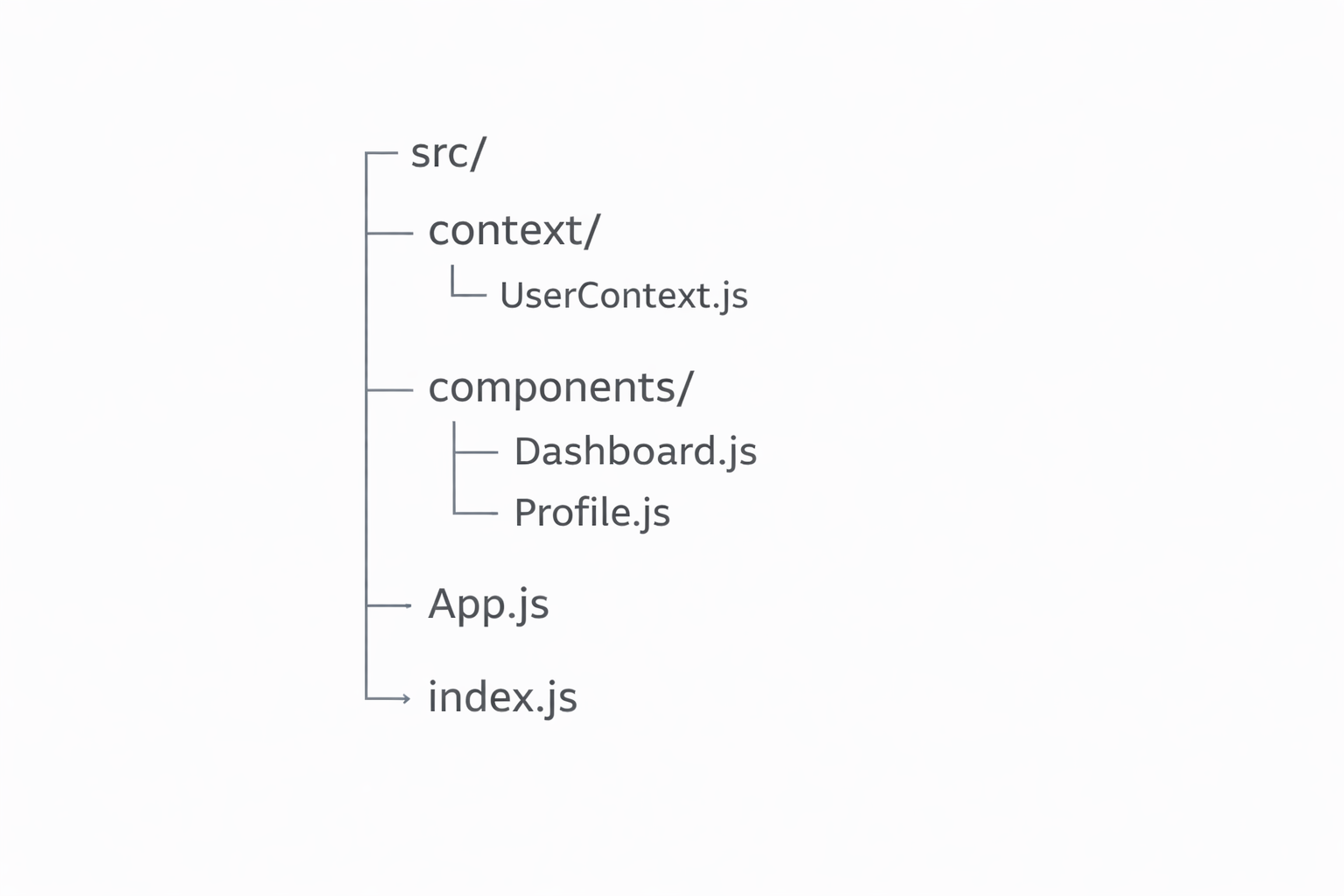
Recommended Folder Structure
This is a clean, industry-standard structure for Context usage.
Basic Steps to Use useContext
Using
useContextalways follows three basic steps:Step 1: Create the Context File
Location: src/context/UserContext.js
What this file does- Creates the context
- Exports it so other files can use it
import { createContext } from "react";

const UserContext = createContext(null);

export default UserContext;
That’s it, No hooks here, No components here, this file is only for creating context.
Step 2: Provide the Context (Initialization)
Location: src/App.js
What happens here:- You initialize the data
- You wrap components with the Provider
- This makes data available globally
Important rules:import UserContext from "./context/UserContext"; import Dashboard from "./components/Dashboard"; function App() { const user = { name: "John", role: "Admin" }; return ( <UserContext.Provider value={user}> <Dashboard /> </UserContext.Provider> ); } export default App;- Provider must wrap all components that need access
- value contains the shared data
- Usually done in App.js
Step 3: Consume Context Using useContext
Location: src/components/Profile.js
This is whereuseContextis used:
What happens here:import { useContext } from "react"; import UserContext from "../context/UserContext"; function Profile() { const user = useContext(UserContext); return ( <div> <p>Name: {user.name}</p> <p>Role: {user.role}</p> </div> ); } export default Profile;- useContext(UserContext) reads data
- React finds the nearest Provider
- user gets the value from
App.js
When Should You Use useContext?
useContextis best when the same data is needed by many components at different levels of the component tree.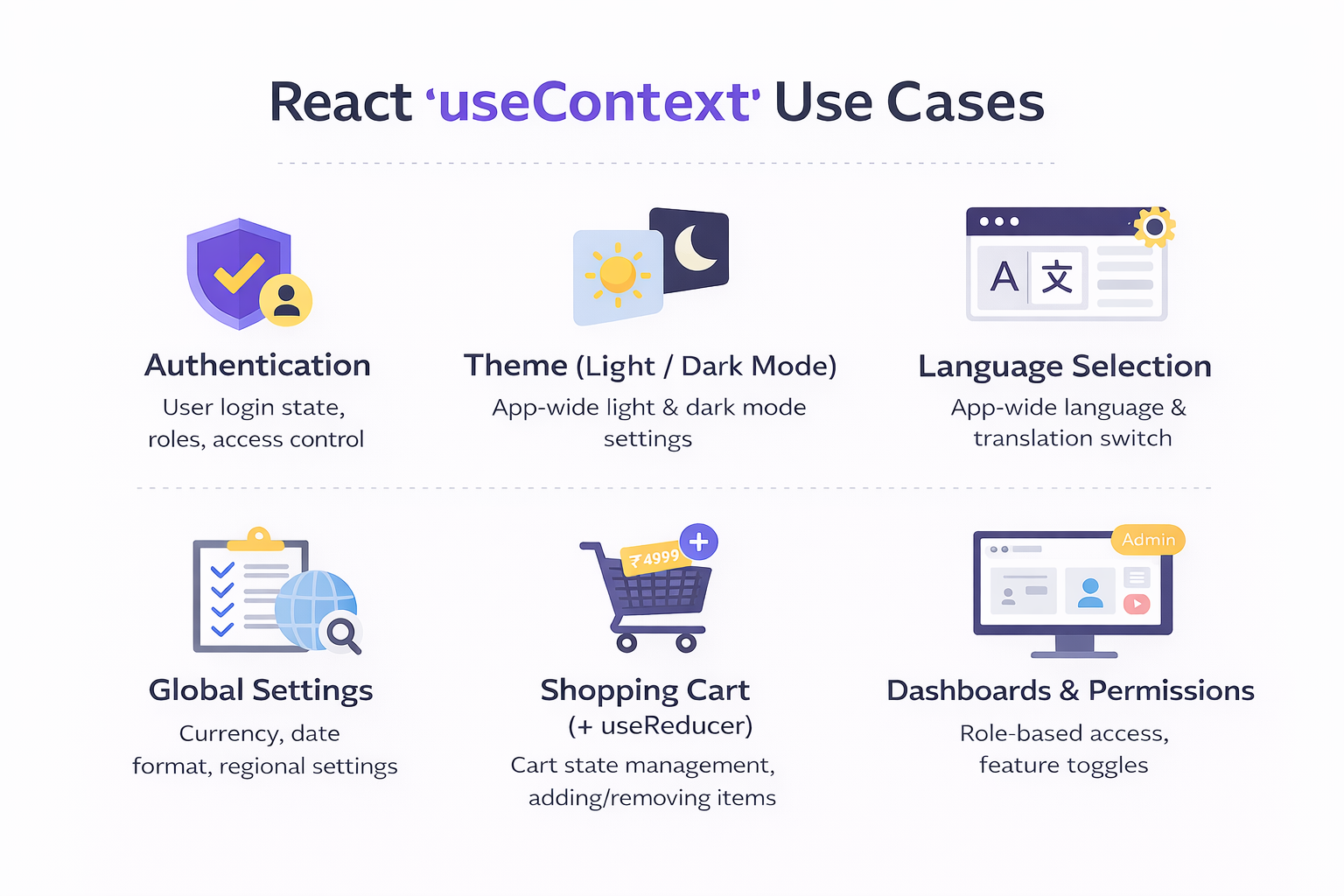
1. Authentication / Logged-in User Data
Scenario- User logs in once
- Many components need user info:
- Header (name)
- Sidebar (role)
- Dashboard (permissions)
- Profile page
- Why useContext
- Avoid passing user through every component
- Keeps authentication state centralized
Scenario- User toggles theme
- Entire app UI changes
- Buttons, layouts, pages all depend on theme
- Theme is global
- Every component needs access
- Changes should re-render UI automatically
Scenario- App supports multiple languages
- Text across the app changes based on language
- Language selection is global
- Avoid passing
languageto every component
Scenario- Currency (₹ / $)
- Date format
- Region-based settings
- These values are shared
- Rarely change
- Required by many components
Scenario- Add/remove products
- Show cart count in header
- Checkout page reads cart data
- Cart is needed everywhere
- Can be combined with
useReducerfor logic
Scenario- Fetch user list once
- Used by: Drop downs, tables, details page
- Prevent repeated API calls
- Share cached data
Final Summary
The
useContextHook allows React components to share data without prop drilling. It provides a clean and efficient way to manage global or shared state across the component tree. When used correctly, it simplifies architecture and improves code readability.While
useContextis powerful, it should be used thoughtfully. For complex state updates, combininguseContextwithuseReduceroffers a scalable and maintainable solution.